Build looms and stamp them into the show
Sheet G-105 · from the in-app Guide · updated 2026-07-03
The short version
- Keep stock looms in a library: name, length, identity color, tape marker, member legs.
- Stamp into show asks for the two ends once, then creates every member leg as a cable row.
- Loom Build Sheets print with the book; the Pull / Prep Summary rolls looms up for the shop.
01Spec the loom once
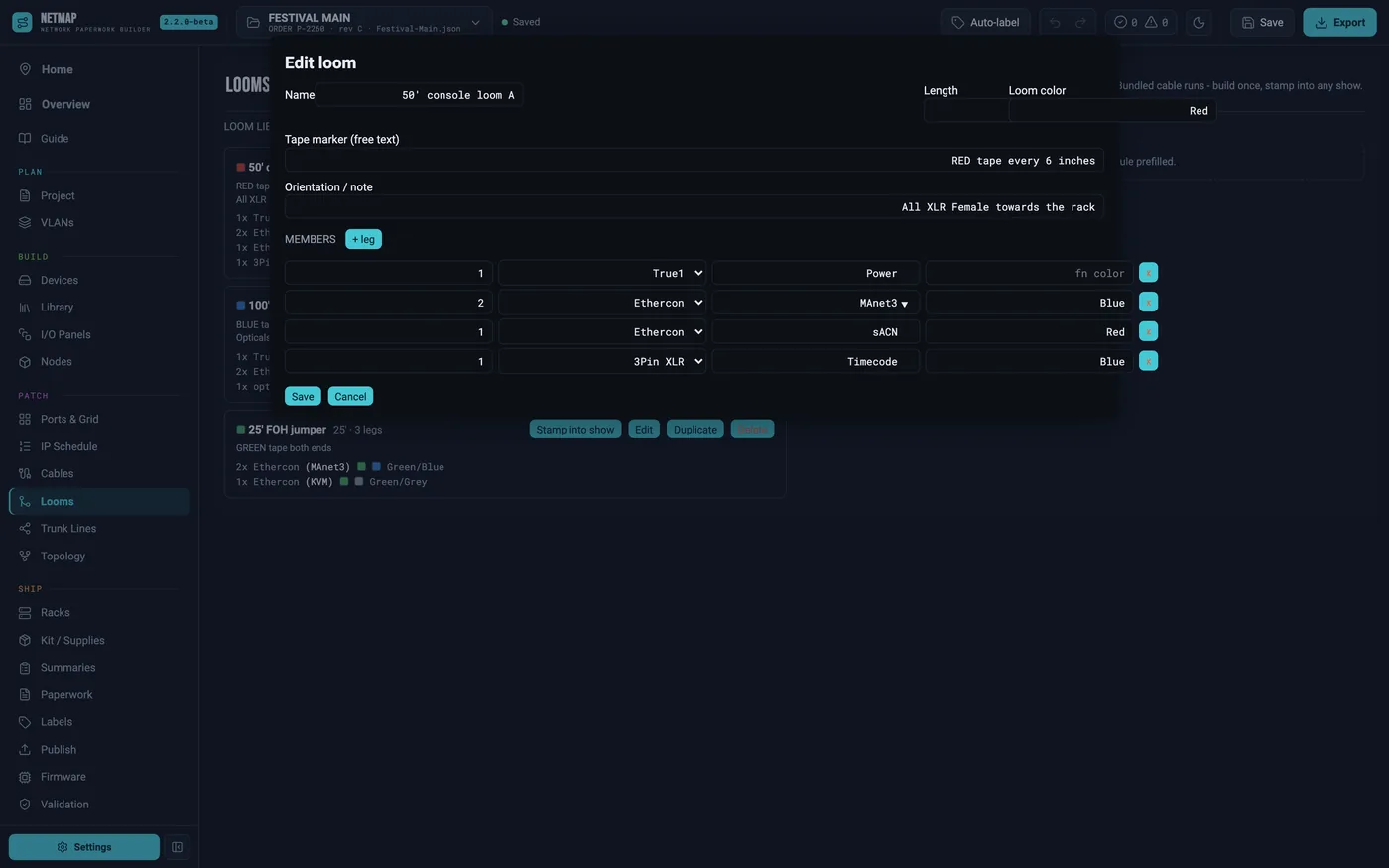
A loom in netmap is the real thing the shop wraps: a name, a length, an identity color, a free-text tape marker ("RED tape every 6 inches"), an orientation note, and the member legs — qty × connector, each with a function and a function color. The color convention follows the shop's: color one is the loom's identity, color two is the function color, auto-suggested (MA Net = blue, sACN = red, Artnet = green, timecode = blue, com = white) and editable per leg.
Looms live in a stock library saved across shows. Duplicate one, tweak the legs, and your four festival stock looms become a catalog.
02Stamp it into the show
Stamp into show prompts for the two ends once — source and destination — then creates every member leg as a prefilled cable row: connector-mapped, signal set, loom length, both ends, and a "Loom:" note so removing the loom also removes its rows. Labels stay blank for auto-numbering. One stamp, and every leg is in the cable schedule with nothing typed twice.
03What prints
The export gains a Loom Build Sheets section — one card per loom with the banner, meta, tape marker and member table with color codes — plus a looms rollup in the Pull / Prep Summary (qty / loom / length / contents). Loom labels print from the Labels tab with the rest.
Looms are free for all tiers — no add-on