Print cable labels
Sheet G-106 · from the in-app Guide · updated 2026-07-03
The short version
- Cable, device, rack, loom and node universe labels print straight from show data.
- All the OnlineLabels stocks plus Avery 5520 (the default) — or design a custom grid.
- Calibrate first: your printer lies; the saved profile makes every sheet land on the die-cut.
01Labels come from the paperwork
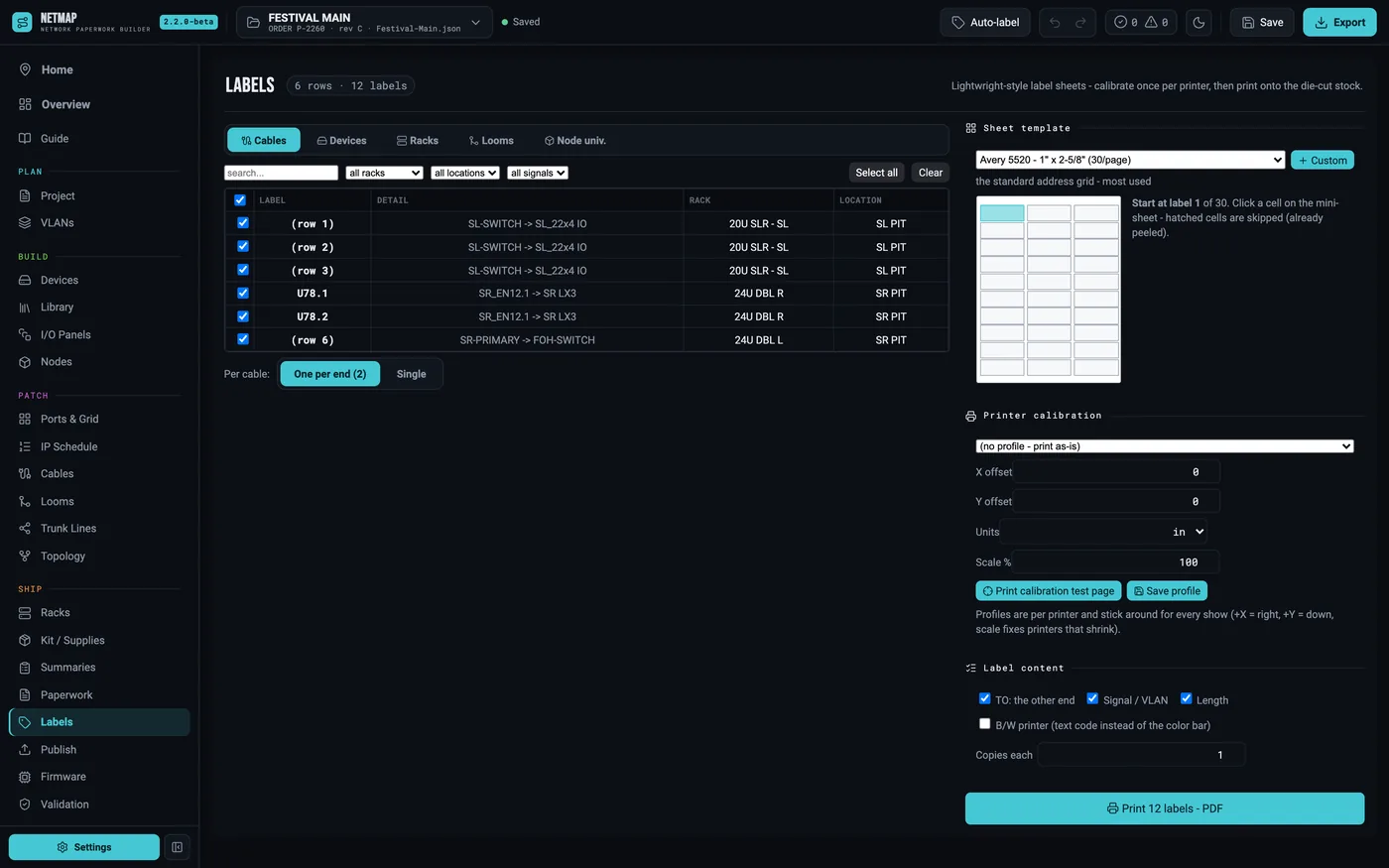
Nothing is retyped. The Labels tab reads the show — cables, devices, racks, looms, node universe tables — and lays labels onto die-cut letter stock. Cable labels default to two per cable, each end naming the other end, which is the version the crew actually wants at the truck. Filter and tick what to print per type.
02Pick the stock
Eleven OnlineLabels presets ship in, plus Avery 5520 — the weatherproof wrap-around standard — as the default. If the shop stock is something else, the custom grid designer (rows × columns × margins) saves as a reusable template. Circle stocks are supported for the round grids.
03Calibrate the printer
Every printer feeds a fraction off, and on a 20-row die-cut sheet a half millimeter of drift ruins the last rows. netmap doesn't assume — it measures: print the calibration test page, read the X/Y offsets and scale off it, and save them as a named profile per printer. From then on every sheet lands on the die-cut. A pick-start-label mini-sheet lets you use up partial sheets instead of wasting them.
04VLAN color bars
Network labels carry a color bar from the VLAN legend, with a black-and-white text-code toggle for mono printers. The color the port map uses is the color on the cable — the legend follows the paperwork all the way to the connector.
Labels is a $9/mo add-on · included free in Studio · see the rate card