Publish the book to the crew
Sheet G-107 · from the in-app Guide · updated 2026-07-03
The short version
- Pick the sections, set a slug, and the book goes read-only to netmap.show/publish/you/show.
- Optional PIN; links live 14 days and extend from the app; view counts show who's actually looking.
- The crew opens it on their phones — IP schedule, cables, ports, and the 3D rack orbit. No install.
01Publish is a copy, not a sync
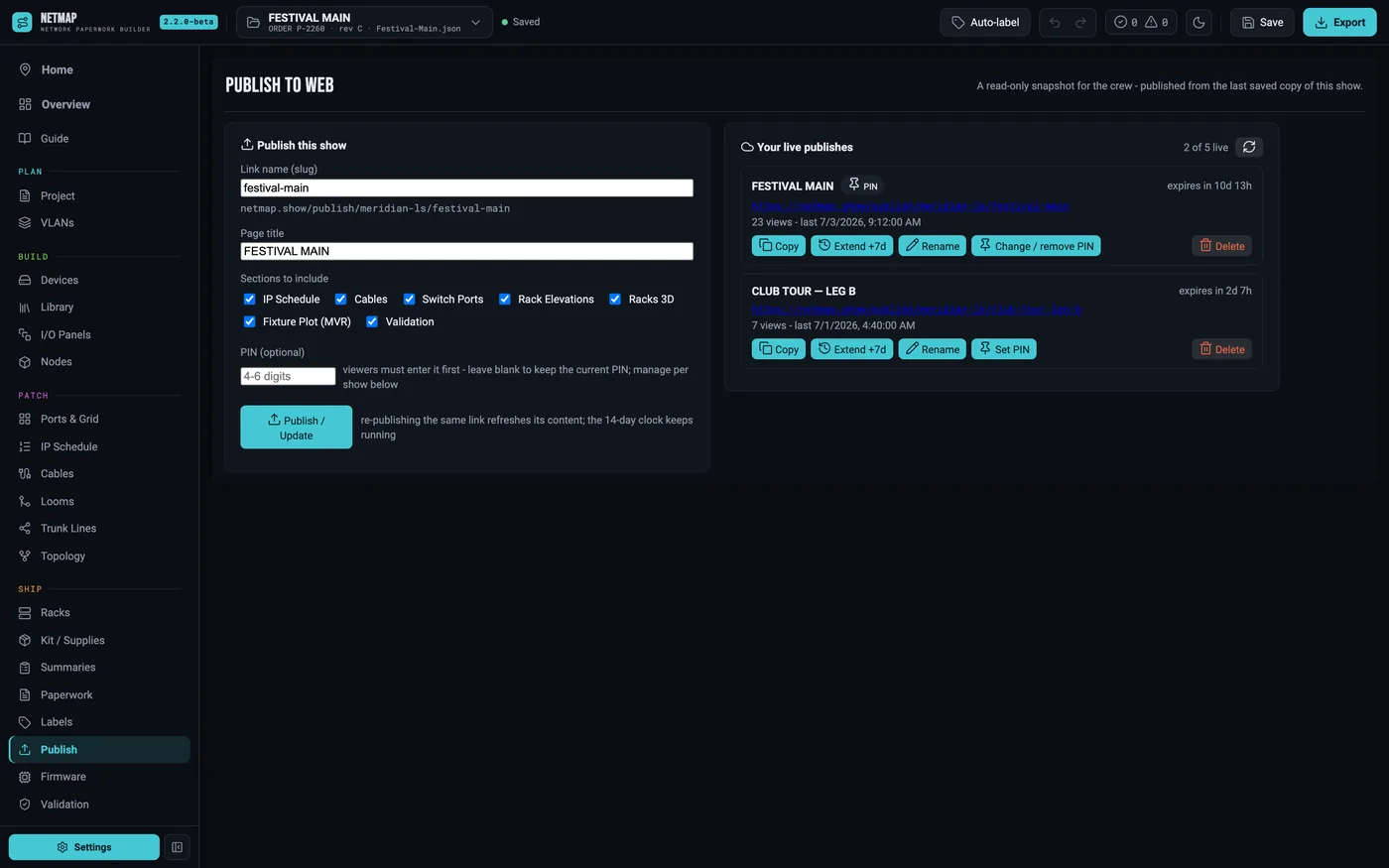
Publishing puts a read-only snapshot of the paperwork you selected at a public link. Your show file never leaves your machine until you hit Publish, and what goes up is exactly the sections you ticked — IP schedule, cables, ports, validation, the rack views. Re-publish to update; delete to take it down. Five shows can be live at once.
02Slug, PIN, expiry
The slug preview shows the real URL as you type — netmap.show/publish/your-handle/your-show. Set a PIN if the paperwork shouldn't be fully public; the crew types it once per device. Links expire after 14 days by default, and the publishes list shows each link's countdown with a one-click Extend +7d — plus views and last-opened, so you know whether the A2 ever actually opened the book.
03What the crew sees
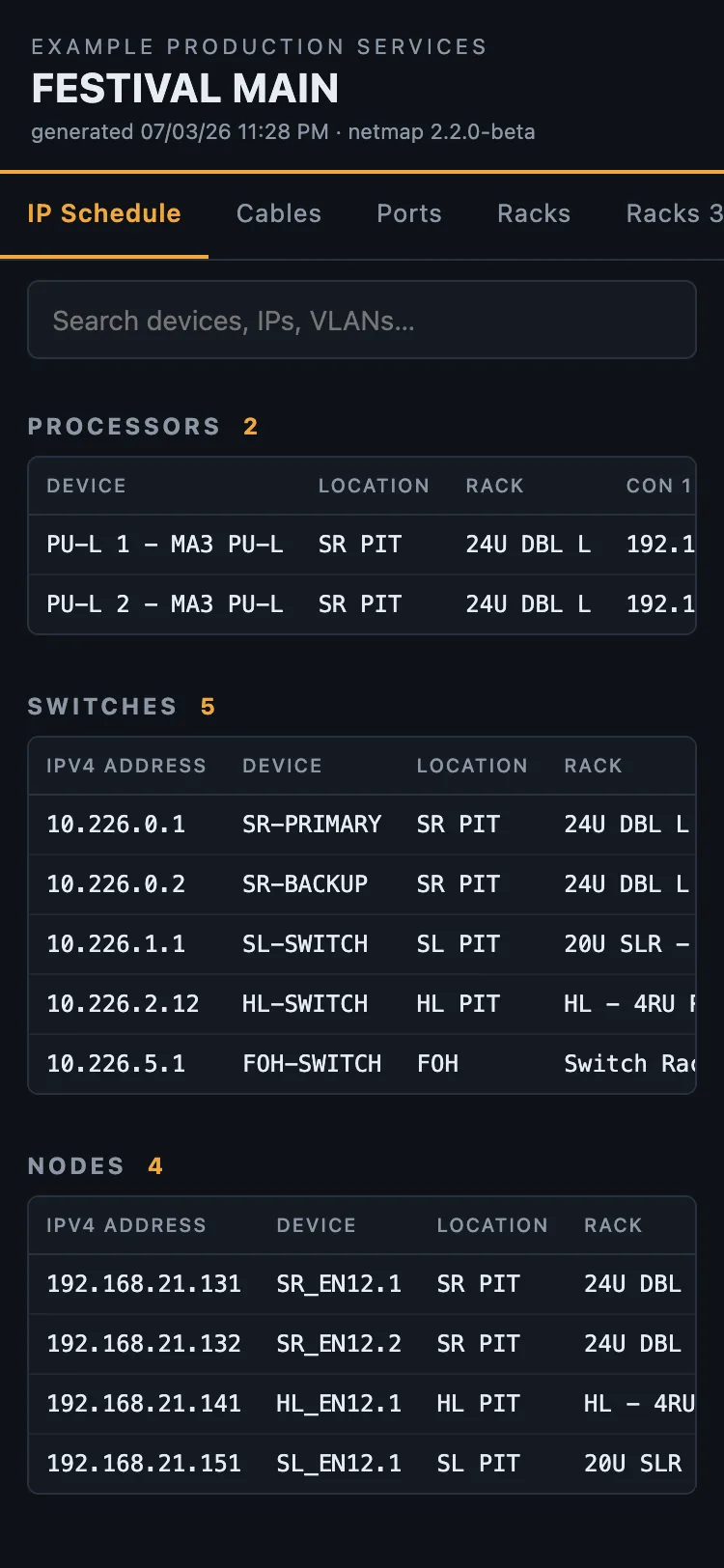
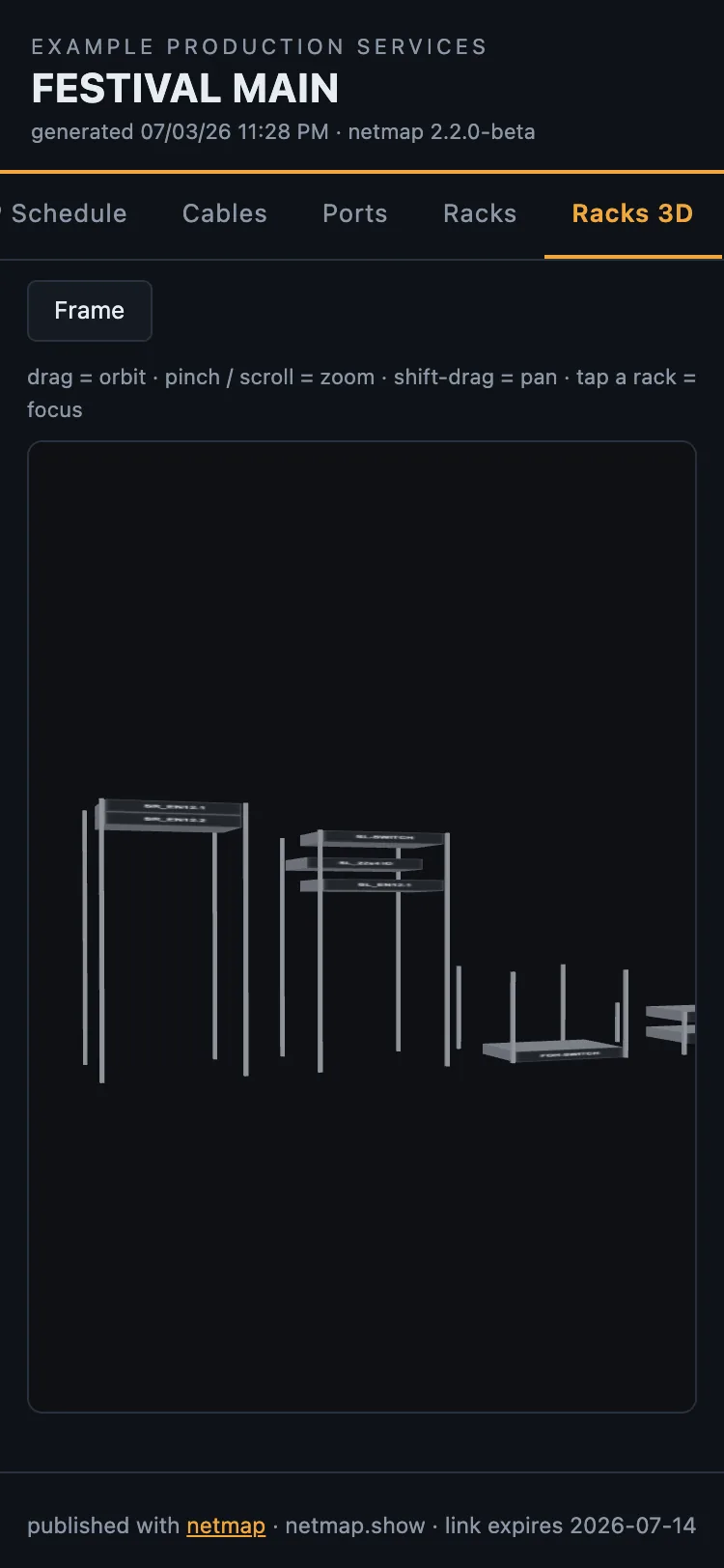
A phone-first page with the paperwork as live tables — the Master IP Schedule, cable schedule and port maps, searchable and readable at the dimmer beach. And the racks in 3D: the same orbit view as the app, running in the browser on a phone. Load-in stops being "who has the binder."
Publish to web is part of Studio · see the rate card